 33rpm
A record player on your Mac desktop.
33rpm puts a turntable on your wallpaper that plays along with YouTube Music. The record spins at 33⅓, the arm follows the song, and every track you play ends up in the crate.
It behaves like the real thing.
Nothing to open or arrange. Play a song in YouTube Music and the room responds.
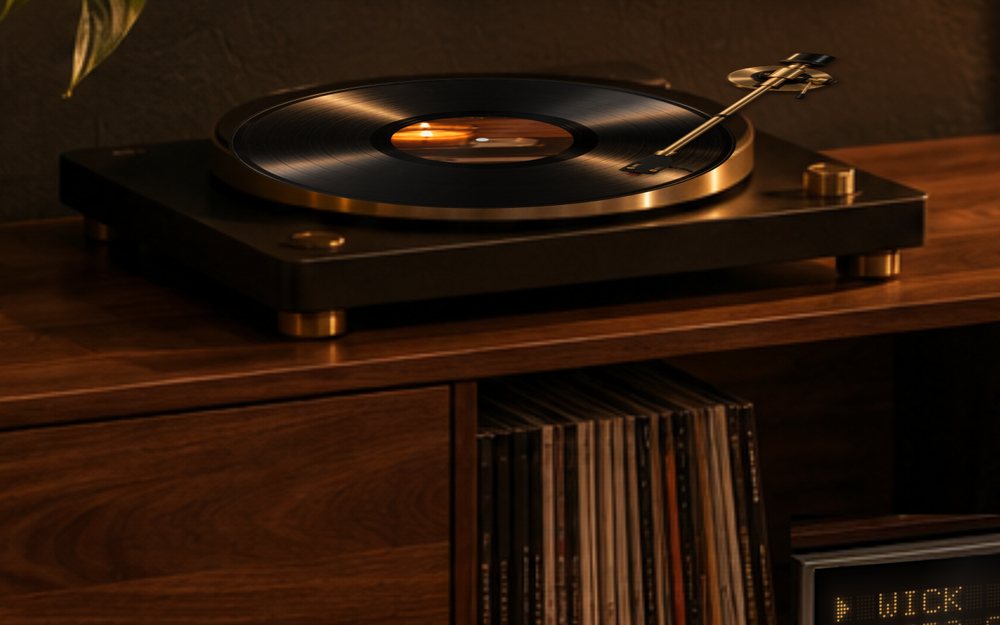
The record spins at 33⅓
Album art on the label, the arm creeping inward as the song plays, and an easy slow-down to a stop when you pause.
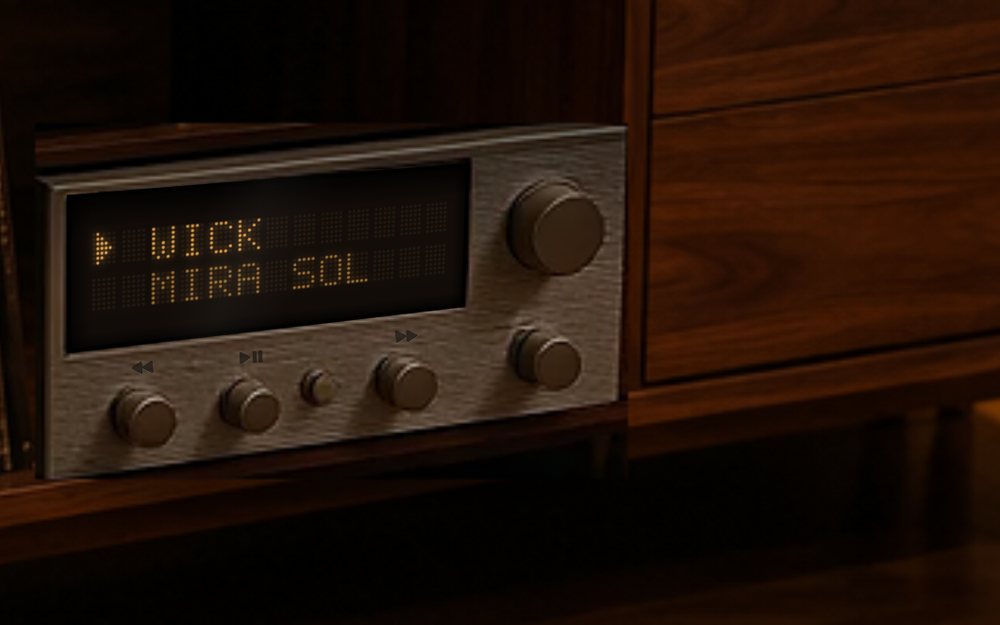
A stereo that shows the song
The title and artist glow on an amber dot-matrix display. Its knobs go back, pause and skip.
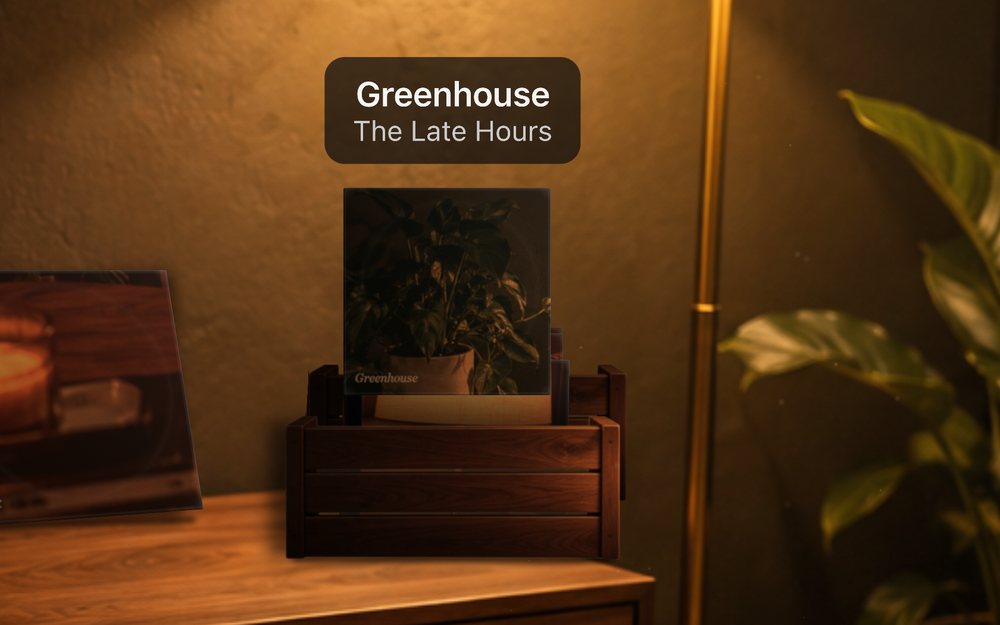
Every song ends up in the crate
When a song ends its sleeve drops into the crate. Hover to flip through, click one to play it again.
Pick the mood.
Switch rooms from the menu bar, any time.
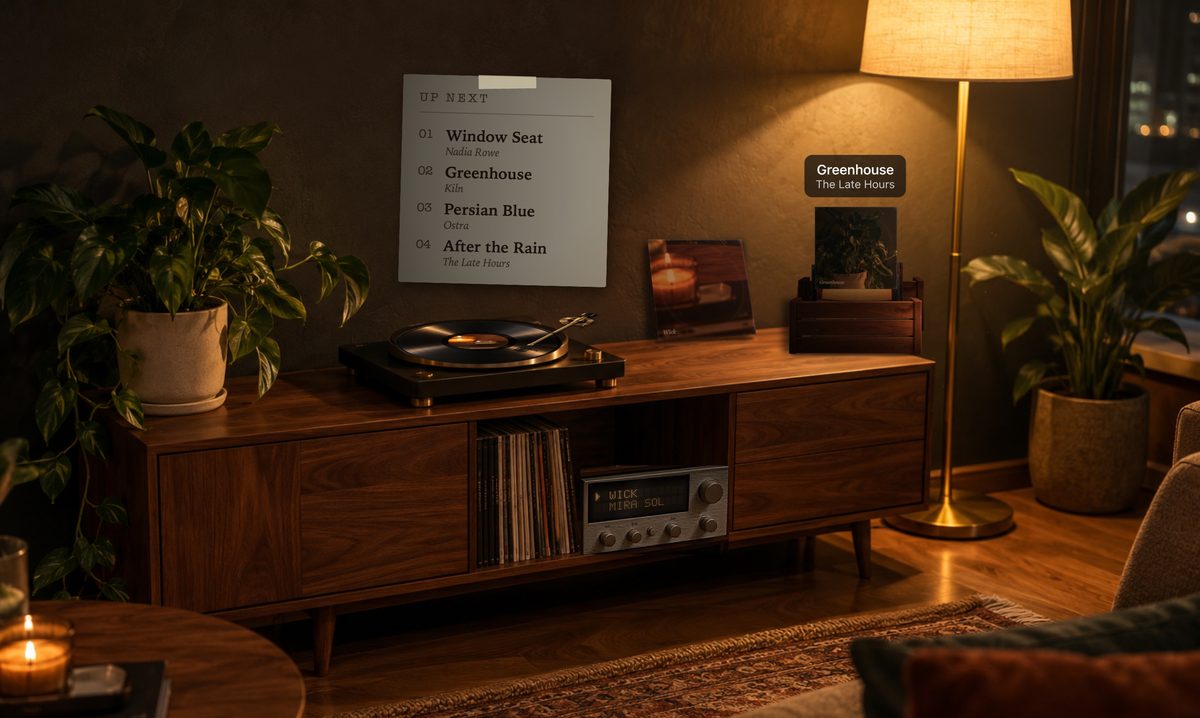
Evening
Lamp light, dust drifting in the glow, the city outside.
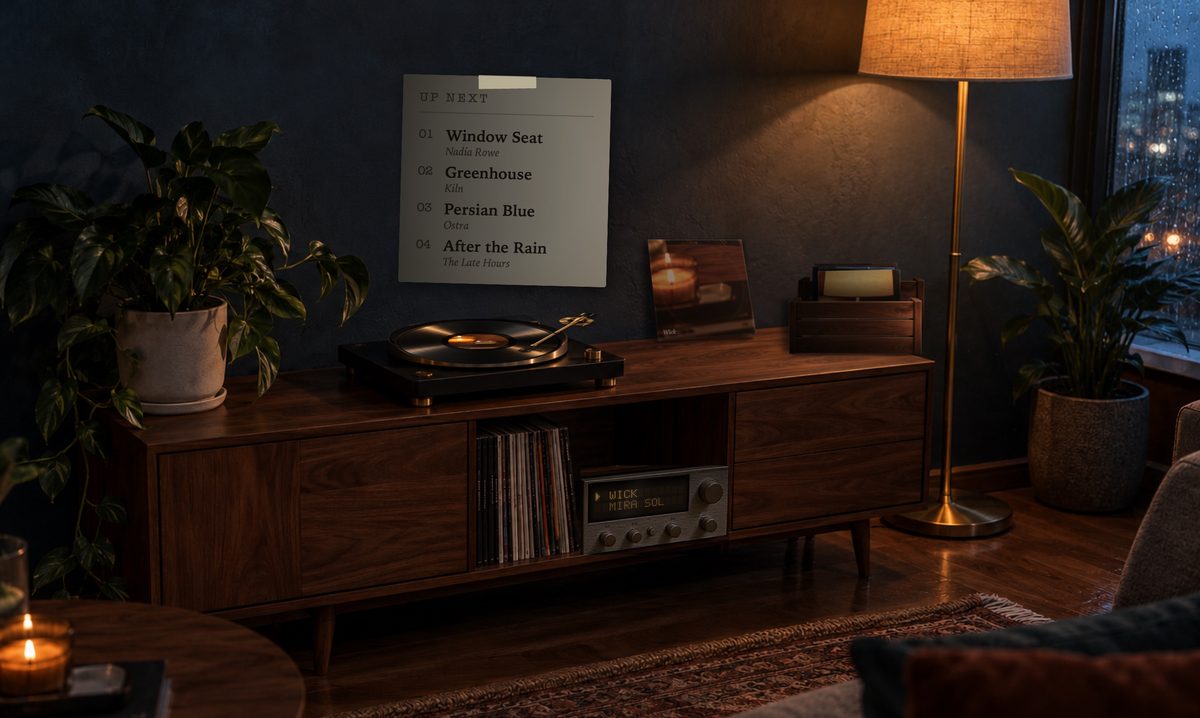
Rainy Window
Blue dusk and rain running down the glass.
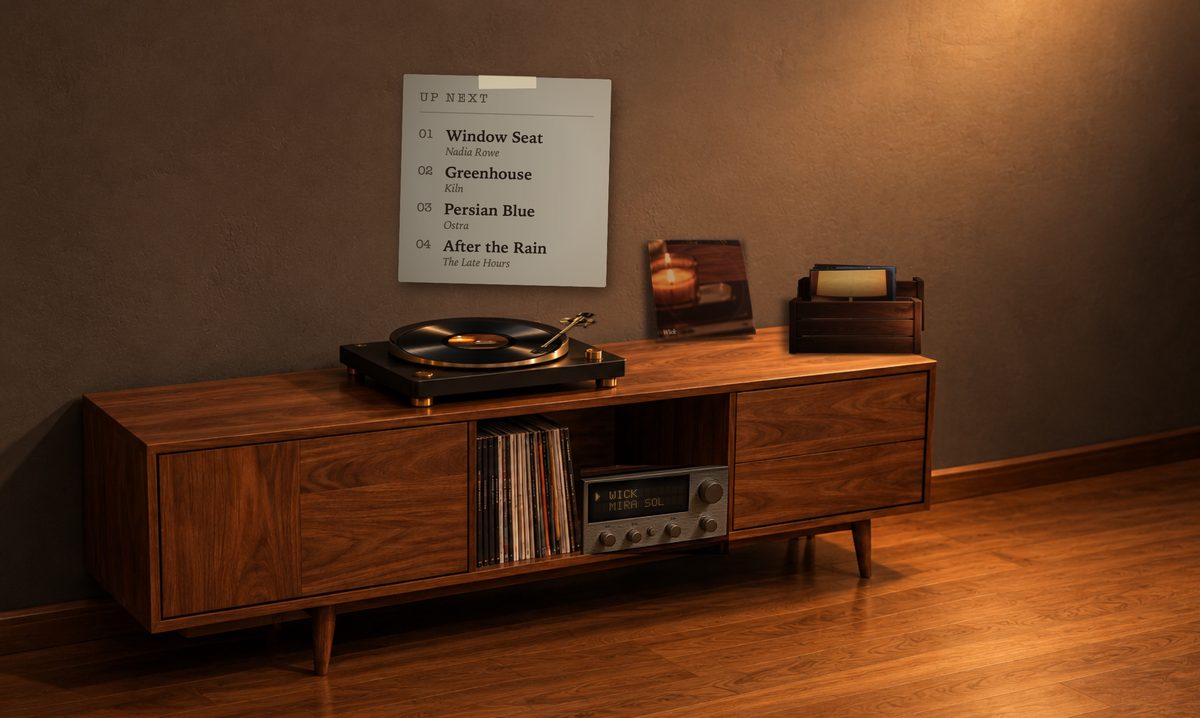
Minimal
Calm and clean, for a desktop that stays out of the way.
Two minutes, three steps.
Install the app
Download 33rpm, open the file and drag 33rpm into Applications.
Add the extension
Add 33rpm Bridge to Chrome. It tells the app what YouTube Music is playing.
Pair and play
Copy the pairing code from 33rpm's Setup Guide, paste it into the extension, and play something on music.youtube.com.
Where is it? 33rpm has no window or Dock icon. It lives in the menu bar as a small disc icon, and the turntable draws on your desktop, behind your windows, so move them aside to see it. Can't find it? Open 33rpm again from Applications and the Setup Guide pops up.
The first time you open it, macOS says "33rpm" Not Opened, because 33rpm is a free hobby app that isn't notarized by Apple yet. Click Done (not Move to Trash), then open System Settings → Privacy & Security, scroll down and click Open Anyway. You only do this once.
Everything stays on your Mac.
The extension talks only to the app on your own computer. Nothing goes to a server, because there isn't one.